All case studies

Data Analysis & Visualisation

SQL + Power BI Inventory Dashboard

Optimizing inventory decisions using data-driven insights

Analytics & Visualisation
IIT Guwahati

Problem Context

  • Businesses often struggle with inefficient inventory management due to lack of real-time visibility into stock levels, demand trends, and product performance. This leads to overstocking, stockouts, and lost revenue opportunities.
  • The system lacked centralized insights into inventory performance, making it difficult to track stock movement, identify slow-moving items, and optimize replenishment decisions. Manual analysis was time-consuming and error-prone.
Approach

  • Extracted and queried inventory data using SQL for structured analysis
  • Performed data cleaning and transformation to ensure consistency
  • Designed KPIs such as stock turnover, inventory levels, and demand trends
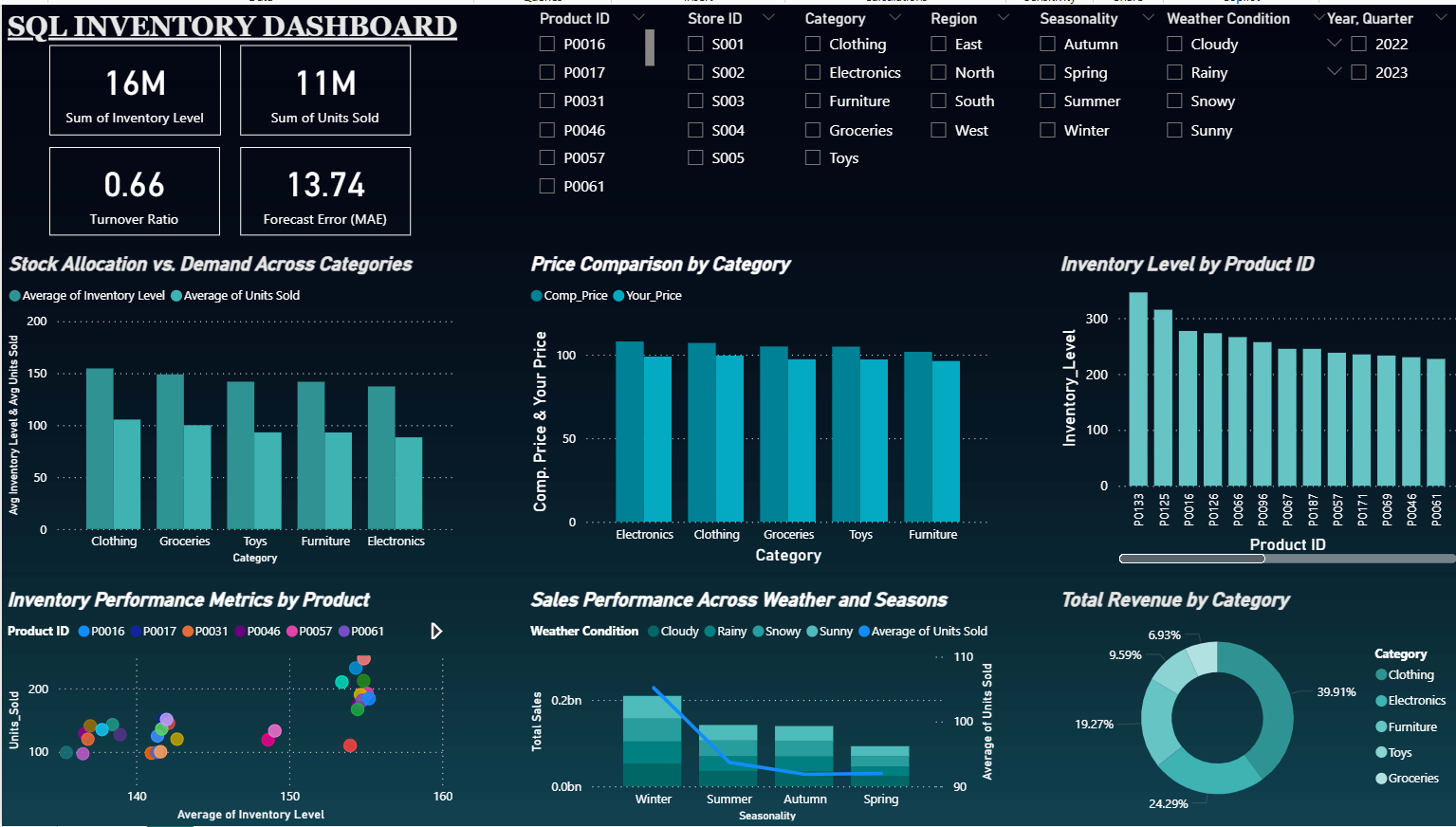
  • Built an interactive Power BI dashboard for real-time monitoring and decision-making

Solution

  • Developed SQL queries to track inventory movement and product performance
  • Created dynamic Power BI dashboard with filters for category, time, and location
  • Visualized key metrics like stock levels, fast/slow-moving items, and trends
  • Enabled drill-down analysis for deeper insights into product-level performance

Impact

  • Reduced manual reporting time by ~40%
  • Improved stock visibility across categories
  • Enabled faster identification of slow-moving inventory
  • Supported better replenishment planning decisions

Live Dashboard

  • Explore the interactive Power BI dashboard in real-time
  • Built using SQL for data extraction and Power BI for visualization
SQL + Power BI Inventory Dashboard cover page

Deliverable

SQL + Power BI Inventory Dashboard

View Live Dashboard ↗